


Coordinate Wedding Ceremony Sound: Step-by-Step Guide

Table of Contents
How to Coordinate Wedding Ceremony Sound: The Complete Setup
Step 1: Assess Your Venue and Sound Requirements
Step 2: Select Your Audio Equipment and Delivery Method
DJ or Live Sound Operator
Live Musician or Playback Device
Step 3: Plan Your Wedding Ceremony Music Cues and Timing
Step 4: Set Up Your Wedding Ceremony Microphone System
Wireless Microphone Placement and Testing
Speaker Placement for Guest Audibility
Step 5: Conduct Your Wedding Ceremony Sound Check
Step 6: Create Your Wedding Ceremony Audio Checklist and Run of Show
Step 7: Communicate the Ceremony Order and Backup Plans
Frequently Asked Questions
Last Updated: October 10, 2026
How to Coordinate Wedding Ceremony Sound: The Complete Setup
To coordinate wedding ceremony sound effectively, clear and reliable audio during your ceremony sets the tone for everything that follows. When guests can hear vows, music, and the officiant without straining, your celebration feels polished and intentional. When audio fails, it creates awkward silences and distracts from the moments that matter most.
Coordinating wedding ceremony sound involves more than just showing up with speakers. It requires planning your venue acoustics, selecting the right equipment, timing your music cues, testing your microphone system, and creating a detailed run of show that keeps everyone on the same page.
Pro Tip Start your sound planning at least 6-8 weeks before your wedding. This gives you time to assess your venue, arrange equipment rentals, conduct proper testing, and coordinate with your other vendors without last-minute stress.
Step 1: Assess Your Venue and Sound Requirements
Understanding your specific venue is the foundation of effective sound coordination. Different spaces, churches, outdoor gardens, hotel ballrooms, backyards, each present unique acoustic challenges and opportunities.
Visit your venue in person and listen carefully. Walk the space where guests will sit. Notice how sound travels. Check for hard surfaces like tile or stone that create echoes. Identify soft materials like carpets or curtains that absorb sound. Test how far your voice carries from where the officiant will stand.
Ask your venue these critical questions:
Do you provide any built-in sound system, or do we need to bring our own?
Are there electrical outlets near the ceremony space?
What are the noise restrictions or quiet hours?
Can we access the space for a sound check before the ceremony?
Are there outdoor weather concerns we should plan for?
Document your venue's dimensions, ceiling height, and any permanent sound equipment. Take photos and measurements. This information helps you and your sound operator plan speaker placement and microphone positioning accurately.
Key Takeaway A 30-minute in-person venue assessment prevents 90% of ceremony audio problems. Never rely on photos or descriptions alone, visit the actual space and listen.
Step 2: Select Your Audio Equipment and Delivery Method
Your equipment choice depends on your venue size, guest count, budget, and whether you want live musicians or recorded music. The two primary approaches are hiring a professional DJ or sound operator, or arranging for a live musician with playback capability.
Dustin Radtke Sound
DJ or Live Sound Operator
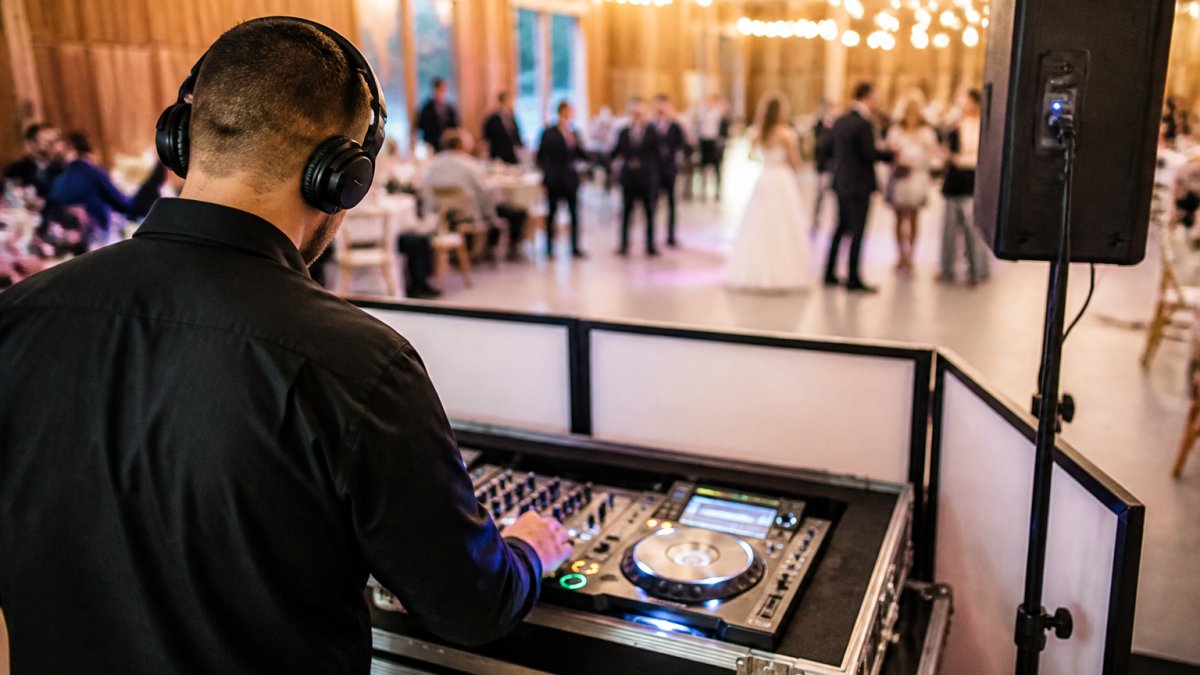
A professional DJ or sound engineer brings experience, backup equipment, and real-time problem-solving. They understand how to position speakers for even sound distribution. They can adjust volume on the fly if outdoor wind conditions change or if your venue's acoustics surprise you.
When you work with a professional team like SD Wedding Pro, you get more than equipment rental. You get someone who has coordinated hundreds of ceremonies in various spaces. They arrive early, conduct a thorough sound check, manage all the technical cues during your ceremony, and have backup gear ready if anything fails.
Live Musician or Playback Device
If you're using a live musician, a pianist, guitarist, or string quartet, they often manage their own amplification. Confirm whether they bring their own sound system or whether you need to provide microphones and speakers for guest audibility.
For recorded music with a simple playback setup, you'll need a Bluetooth speaker or small sound system connected to a phone or tablet. This works well for intimate ceremonies under 75 guests in small, acoustically favorable spaces. For larger groups or outdoor venues, a simple speaker system often struggles to reach back rows clearly.
Watch Out A single portable Bluetooth speaker is rarely adequate for ceremonies over 50 guests. Sound quality suffers, the back half of your guest list misses key moments, and troubleshooting options are limited if it fails. Budget for proper speaker placement and backup equipment.
Step 3: Plan Your Wedding Ceremony Music Cues and Timing
Create a detailed wedding ceremony music cues document that outlines every song, when it plays, and who triggers it. This becomes your control sheet during the ceremony.
Your typical ceremony flow includes:
Prelude (10-15 minutes before start): Soft background music as guests arrive and are seated
Processional: Music for the wedding party to walk down the aisle
Bride's entrance: Often a distinct song or movement
Ceremony: Music or silence during vows and readings
Recessional: Upbeat music as the couple exits
For each piece, note:
Song title and artist
Exact duration
Who controls the start/stop (DJ, sound operator, designated person with remote)
Volume level (soft for prelude, louder for processional)
Any fade-out or crossfade timing
Assign responsibility clearly. If your DJ is managing sound, they handle all music cues. If you're using a sound operator separate from your DJ, confirm who controls what. If you're relying on a designated family member or friend with a phone and speaker, give them written instructions and practice the timing beforehand.
Pro Tip Build 30-60 seconds of buffer time between cues. This prevents rushed transitions and gives your sound operator time to reset if something unexpected happens. A slightly slower ceremony feels intentional; a rushed one feels chaotic.
Step 4: Set Up Your Wedding Ceremony Microphone System
A wireless microphone system ensures your officiant and couple are clearly audible to every guest. This is non-negotiable for ceremonies over 50 people or outdoor venues.
Wireless Microphone Placement and Testing
Position the officiant's wireless microphone on their lapel or collar, angled toward their mouth at about 6 inches distance. Test the microphone in the exact location where they'll stand during the ceremony.
If your couple wants to exchange vows audibly, provide a second wireless microphone or a handheld mic they can share.
Wireless microphones are battery-powered and operate on specific frequencies. They also verify that the microphone frequency doesn't conflict with other wireless devices in the venue, cell phones, Wi-Fi routers, or other audio equipment.

Speaker Placement for Guest Audibility
Speaker placement determines whether guests in the back row hear clearly or struggle to catch every word.
For outdoor ceremonies, speaker placement is trickier. Wind, open space, and lack of hard surfaces to reflect sound all work against you. Position speakers closer to guests than you would indoors.
Test speaker placement during your sound check by having someone speak from the altar while you walk to the back row and listen. Adjust speaker angle and volume until sound is clear and even across all seating areas.
Step 5: Conduct Your Wedding Ceremony Sound Check
Your sound check happens on ceremony day, ideally 1-2 hours before guests arrive. This is your final opportunity to catch and fix problems.
During your sound check:
Test every microphone and speaker
Play each music cue from start to finish
Verify wireless microphone range, walk the aisle and ceremony space to confirm signal strength
Check battery levels on all wireless devices
Test volume levels at the back of the guest seating area
Confirm that all cues trigger smoothly and music stops cleanly
Verify that microphones don't create feedback when speakers are on
Practice the handoff of any shared microphones
Have your officiant and couple present for the sound check if possible. Let them hear how they'll sound through the speakers. Have them practice speaking into their microphones. This reduces anxiety during the ceremony itself.
Document any adjustments you make during the sound check. If you moved a speaker, changed a volume level, or discovered a microphone issue, write it down. This information helps your sound operator if they need to make quick adjustments during the ceremony.
Key Takeaway A thorough sound check typically takes 30-45 minutes. It's the single best investment you can make in ceremony audio reliability. Never skip it or rush through it.
Step 6: Create Your Wedding Ceremony Audio Checklist and Run of Show
A written run of show is your control document during the ceremony. It keeps everyone coordinated and prevents missed cues.
Your run of show should include:
Timing | Cue | Responsible Person | Music/Action | Notes |
3:00 PM | Guests arriving | Sound operator | Prelude music starts | Soft volume, ambient |
3:15 PM | Wedding party lined up | Sound operator | Prelude ends, pause 30 sec | Ready for processional |
3:15:30 PM | Processional begins | Sound operator | Processional music | Start on signal from coordinator |
3:17 PM | Bride enters | Sound operator | Bride's entrance music | Fade previous, start new cue |
3:18 PM | Bride reaches altar | Sound operator | Music fades, ceremony begins | Microphone live for officiant |
3:25 PM | Vows begin | Couple | Vows exchange | Microphone active, no music |
3:30 PM | Rings | Sound operator | Soft background music (optional) | Low volume, doesn't interfere |
3:35 PM | Pronouncement | Officiant | Microphone live | No music |
3:37 PM | Recessional cue | Sound operator | Recessional music | Upbeat, full volume |
Distribute this run of show to everyone involved: your DJ or sound operator, your wedding coordinator, your officiant, and any designated helpers. Everyone should have a printed copy they can reference.
Step 7: Communicate the Ceremony Order and Backup Plans
Clear communication prevents confusion and keeps your team aligned. Schedule a final coordination call with your DJ, sound operator, wedding planner, and officiant at least one week before the ceremony.
During this call:
Review the complete run of show together
Confirm everyone understands their specific responsibilities
Discuss contingency plans for equipment failure
Clarify who makes decisions if something goes wrong during the ceremony
Exchange phone numbers and confirm everyone will be on-site early
Your backup plan should address:
Microphone failure: A second wireless microphone system or a handheld mic as backup
Speaker failure: A portable Bluetooth speaker as emergency audio
Music cue failure: A printed list of songs and a phone with music files as backup playback
Power failure: Confirmation that your sound system has battery backup or that you have a generator available
Assign a single point person who makes decisions if problems arise during the ceremony. This prevents multiple people giving conflicting instructions to your sound operator. That person should be your wedding coordinator, a trusted family member, or your DJ, someone calm and detail-oriented.
Pro Tip Write your backup plan down and share it with your entire team. During the ceremony, people are stressed and distracted. A written plan ensures that even if someone forgets, the backup procedure is clear.
Clear ceremony sound isn't luck, it's the result of careful planning, proper equipment, and thorough coordination.
At SD Wedding Pro, our partnership with BlazerBox Live Sound gives us access to professional-grade equipment and experienced sound engineers who understand how to deliver clear audio in any space. We handle all the technical coordination so you can concentrate on your vows and celebration. Contact us today to check availability and request a quote for your ceremony sound coordination.
Frequently Asked Questions
When should you do a wedding ceremony sound check?
Conduct your wedding ceremony sound check at least 30 minutes before guests arrive, ideally 1-2 hours before the ceremony starts. This gives you time to test microphone levels, speaker placement, music playback, and officiant audio without rushing. Have your wedding party or stand-ins walk through key moments like the processional and vow exchange so you can verify volume levels and make adjustments before the ceremony begins.
What should be on a wedding ceremony audio checklist?
Your wedding ceremony audio checklist should include: wireless microphone batteries and backup batteries, speaker placement and cable runs, volume levels for prelude and processional music, officiant microphone positioning, vow amplification confirmation, recessional song cue timing, backup playback device, emergency contact for your sound operator, and weather contingencies for outdoor ceremonies. Document each item as you test it during sound check to confirm everything is ready.
Do you need a microphone for the officiant at a wedding ceremony?
Yes, a wireless microphone for the officiant ensures all guests can hear the vows, readings, and ceremony words clearly, especially in larger venues or outdoor settings. Even in smaller ceremonies with 50-75 people, a microphone prevents guests from straining to hear and captures the moment professionally. Use a lapel or handheld wireless microphone positioned 6-8 inches from the officiant's mouth for optimal sound quality.
How do you coordinate music timing for the wedding ceremony?
Create a detailed run-of-show document listing each song, its duration, and when it should start and stop. Communicate this to your DJ or sound operator with clear cues: prelude starts when guests arrive, processional begins when wedding party lines up, vows music fades during exchange, and recessional plays at the end. Use hand signals or radio communication between the officiant or wedding planner and your sound operator to trigger each music cue precisely.
Contact us today to check availability and request a quote

Comments